Solo lawyers operate at the opposite end of the AI spectrum from Big Law. No procurement team to vet vendors. No IT department to manage integrations. No budget for $50,000 platform deployments. And a fundamental constraint that enterprise tools ignore: every hour spent learning new software is an hour not billed.
This guide is built specifically for solo practitioners. It covers which AI tools deliver real value within solo practice constraints, how to evaluate them without an IT team, and what to avoid. All tools are scored independently using LawyerAI's 5-dimension framework.
The Solo Practitioner AI Challenge
Budget discipline. A tool at $150/month costs $1,800/year. At a $250/hour billing rate, that's 7.2 hours of billable work. The tool needs to save at least that much time annually to justify itself.
No IT support. If a tool requires API integration, custom configuration, or technical onboarding, a solo practitioner either pays a consultant or spends their own time.
Time is the constraint. AI tools that compress time on high-volume tasks — document review, legal research, client intake — have clear value. Tools that add complexity to simple processes have negative value.
Security accountability falls on you. A data breach at a solo practice has no corporate shield. The solo practitioner is personally responsible for client data protection.
The Right Framework: Start With Your Bottleneck
Before evaluating any AI tool, identify your primary time bottleneck:
If your bottleneck is client intake and administrative overhead: Practice management AI (Clio, Lawmatics, MyCase) should be your first investment.
If your bottleneck is legal research: Legal research AI (Paxton AI, CoCounsel) compresses research time significantly.
If your bottleneck is contract drafting and review: Contract AI (Spellbook) or document comparison (Draftable) can reduce review time by 60–80%.
If your bottleneck is client communication: AI meeting notes (Pensieve) and client communication drafting compress the time spent on non-billable correspondence.
Practice Management: Clio
Overall: 4.3 / 5 (for solo use case)
Clio is the most widely adopted practice management platform for solo and small-firm lawyers, with Manage AI embedded directly. Key solo-relevant features: automated time tracking from calendar and email activity, AI-assisted invoice generation, and matter summarization for quick client updates.
What to know: Manage AI is included in higher-tier Clio plans. Total cost with Manage AI runs approximately $89–149/month.
See: Clio vs. MyCase comparison
Client Intake: Lawmatics
Overall: 4.0 / 5 (for solo use case)
For practice areas where client intake volume is high — personal injury, family law, immigration, criminal defense — Lawmatics automates the intake process from lead capture through matter opening. The ROI for solos is most visible in after-hours intake.
What to know: Pricing starts at $149/month. Integration with Clio is available.
Legal Research: Paxton AI
Overall: 4.2 / 5 (for solo use case)
Paxton AI is the research platform most frequently recommended for solo practitioners, primarily because of pricing transparency and accessibility. Unlike CoCounsel or Harvey, Paxton publishes per-user rates and is accessible without a sales conversation.
What to know: Full access starts at approximately $65/month. Always verify citations against primary sources before including them in court filings. See our AI hallucination guide for verification protocols.
Contract Work: Spellbook
Overall: 4.1 / 5 (for solo use case)
For transactional solo practitioners, Spellbook delivers the highest Usability score in the contract review category. It operates inside Microsoft Word — no new platform, no document uploads, no workflow changes.
What to know: Spellbook is optimized for first-pass review and drafting. It is not a post-signature CLM. Free trial available.
Document Comparison: Draftable
Overall: 4.0 / 5 (for solo use case)
Draftable is the only tool on this list with a genuinely useful free tier. For comparing contract versions, Draftable is faster and more accurate than built-in comparison tools in Word.
What to know: Draftable shows differences — it does not analyze clause substance. Use it alongside a substantive review tool.
AI Meeting Notes: Pensieve
Overall: 4.0 / 5 (for solo use case)
Pensieve records and transcribes client calls, generates meeting summaries, and creates follow-up action items automatically.
What to know: Client consent to recording may be required in your jurisdiction. See our attorney-client privilege AI guide for data security considerations.
Security Evaluation Without an IT Team: A 5-Question Checklist
- Is the vendor SOC 2 Type II certified? This is the baseline.
- Is there an explicit commitment that your firm's data is not used to train AI models? Read the Terms of Service, not just the marketing page.
- Can you sign a Data Processing Agreement? For any tool that processes client information, a DPA is essential.
- Where is data stored, and for how long? Zero data retention policies mean the vendor deletes your queries after each session.
- What happens if there's a breach? Ask about breach notification timelines.
What to Avoid
Tools that require long-term contracts without a free trial. Any vendor that won't let you test the tool on your actual work before committing is a red flag.
Platforms built for enterprise that offer "solo" pricing. Read the feature list carefully — a $99/month solo plan without key features is often not worth the price.
General-purpose AI for anything involving client data. For anything involving identifiable client information, use tools with explicit legal-grade data protections.
Building a Solo AI Stack: A Practical Recommendation
For most solo practitioners, a three-tool stack covers the highest-ROI use cases:
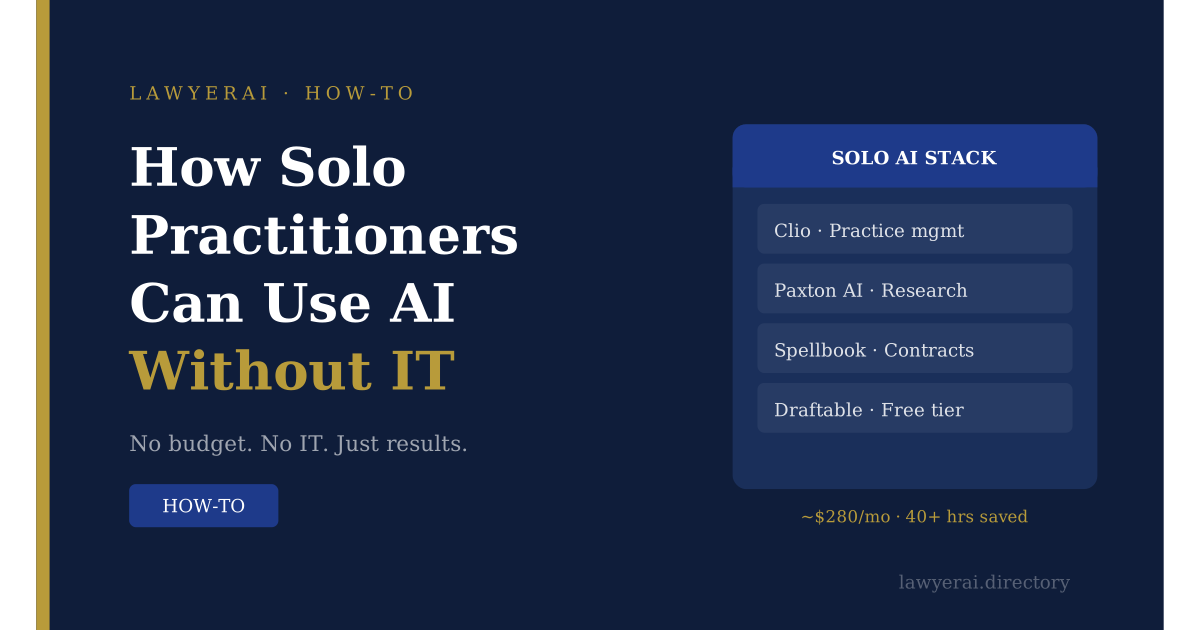
Foundation: Clio with Manage AI — centralizes matter management, billing, and client communication.
Research: Paxton AI — transparent pricing, accessible without a sales call.
Contract work: Spellbook (if transactional volume justifies it) or Draftable (free, for version comparison).
Total cost: approximately $230–330/month. At a $250/hour billing rate, this stack needs to save approximately 1.2 hours per month to pay for itself — a threshold most solo practitioners will exceed in the first week.
For a full breakdown of tools recommended for your practice type, see our Solo Practitioners Solutions page.
FAQ
Draftable (document comparison) and Paxton AI (limited free research tier) are the most useful free options. For anything involving client data, free tools often lack the security certifications required for professional use.
Calculate the break-even: divide the monthly cost by your hourly billing rate. Track your actual time savings for 30 days before committing to an annual subscription.
Most enterprise tools are priced for teams with 20+ users. The tools recommended in this guide are sized and priced for solo use.
Q: Do I need to disclose AI use to clients?
State bar guidance varies. Check your jurisdiction's current guidance. Our AI competency for lawyers glossary entry covers the professional responsibility framework.
Tools with no-migration workflows deliver ROI immediately. Practice management AI tools typically show measurable time savings within 30 days of consistent use.
Scores reflect editorial assessment based on public documentation and user reports as of May 2026. LawyerAI maintains editorial independence. See our Editorial Independence policy for details.